How to check your previously uploaded statements
How to View Previously Uploaded Fuel Statements
View fuel statements that have already been uploaded and review their details. There are a couple of ways to view your previously uploaded fuel statements in Nuonic app.
Option 1: Quick View
Step 1: Log in to the Nuonic app and navigate to 'Quick View section' from the options pane.
Step 2: In the quick view section, select and analyse summary of the required statements.
 Note: All statements uploaded within the selected period will be displayed, along with
Step 3: View historical statement uploads along with a quick summary using 'View analysis' section.
Option 2: Acquisition (Fuel Accounting)
Step 1: Log in to the Nuonic app and navigate to the 'Acquisition' section under 'Fuel Accounting'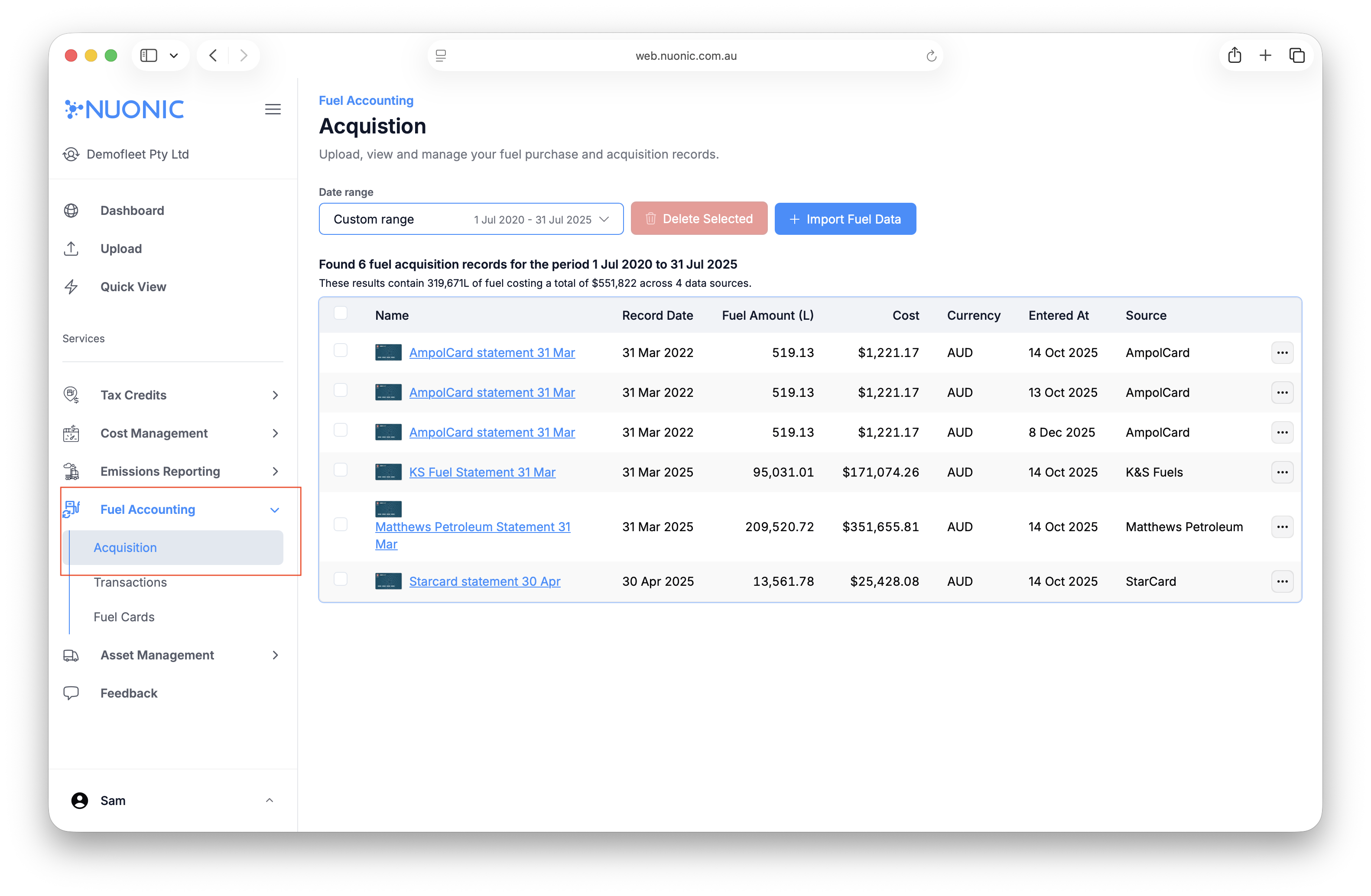 Step 2: Select the required date range.
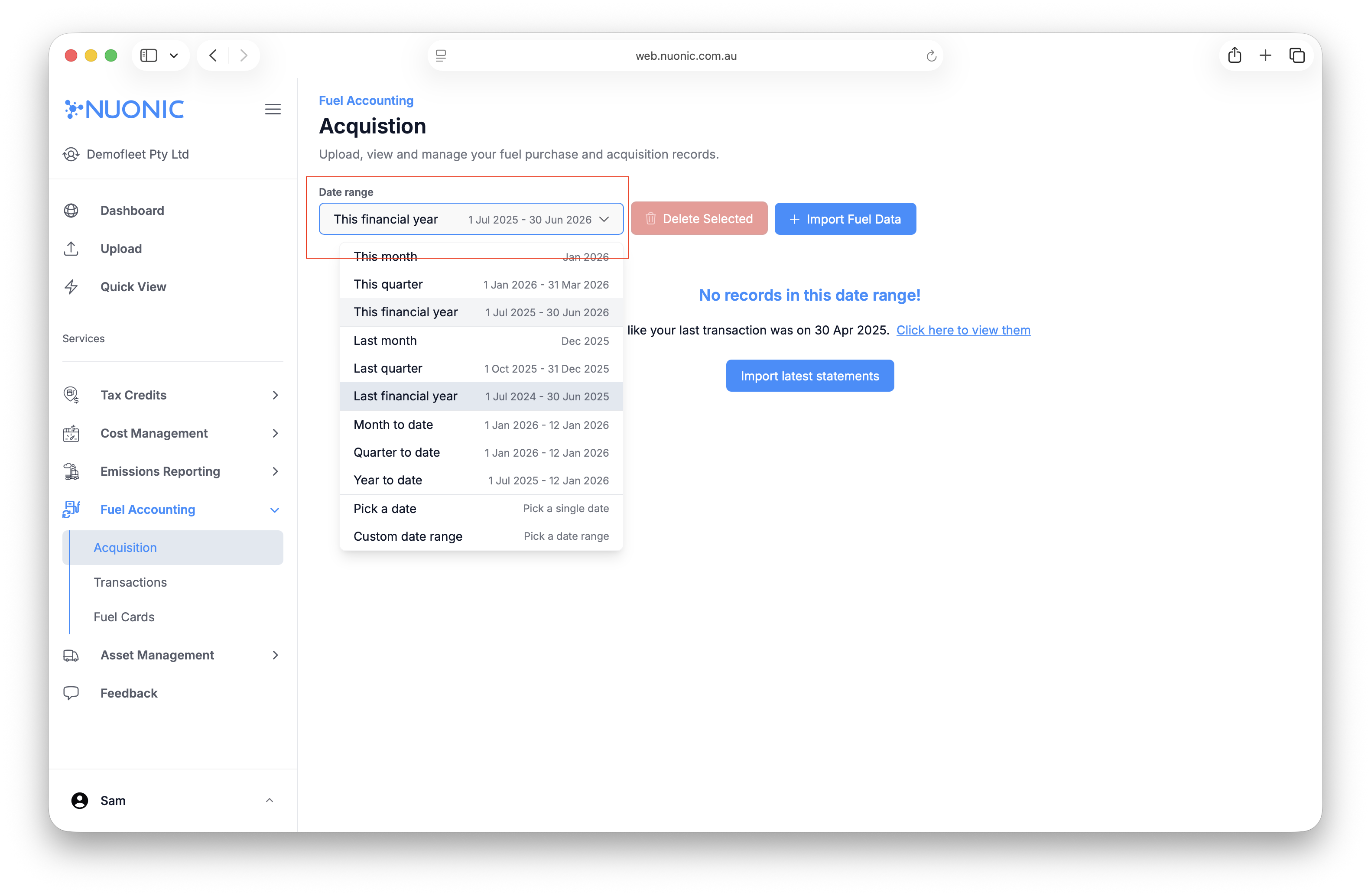 Step 3: View your statements line items for all transactions across your uploaded statements individually.

Click on the Statement Name to view your statement line items in detail.
You can also download individual statements from this section. Simply click on ' ' option and select 'download'.
The Acquisition page acts as the central repository for all uploaded fuel statements and acquisitions.